The PSX10 is equipped with 20 LED indicators to display the device's operational status and activity.

Ethernet Port LEDs |
 |
Each Ethernet port is equipped with two LEDs:
-
PoE (left): Shines orange when PoE is being drawn (active PoE).
-
Link (right): Shines green when link is connected (active Link).
|
SFP+ Slot LEDs |
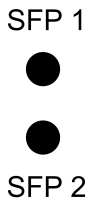 |
Each SFP+ slot has a single LED positioned to its left:
-
Link Speed:
- Shines blue when link speed is 10 Gbps (max port speed).
- Shines green when link speed is up to 1 Gbps.
|
System Status LEDs |
 |
There are two system status LEDs:
-
Status:
- Shines red when the device has no Internet connection.
- Turned off when device is online.
-
PWR (Power):
- Blinks green during device boot.
- Shines green when boot is complete and device is operational.
|
 |
System Status LEDs can be set to light, alert or dark mode. A configuration guide can be found in this article. |

Comments
0 comments
Article is closed for comments.